
Running an auto shop today means you’re not just fixing vehicles—you’re also running a payment environment that criminals actively target.
PCI compliance for auto repair shops (also called auto repair shop PCI compliance) is the practical set of steps your business must follow to reduce card-data risk and meet the PCI DSS requirements for auto repair shops.
In plain terms: it’s how you protect customer card information and strengthen payment security for auto repair shops without turning your front counter into an IT department.
Auto repair businesses often accept payments in fast-moving, real-world situations: a service advisor takes a deposit, a mechanic sells a tire on the spot, a customer calls to pay over the phone, or a body shop runs a large ticket after insurance work.
Those are normal scenarios—but they can become expensive problems if cardholder data is exposed.
Non-compliance isn’t just a “paperwork” issue. It can lead to:
- Higher processing costs and monthly non-compliance fees from your payment ecosystem (varies by provider)
- Chargebacks and disputes that tie up cash flow and staff time
- Forensic investigations, mandatory remediation, and potential fines after a breach (often passed through by brands/acquirers)
- Reputation damage that’s especially painful in local service businesses
This guide explains the payment card industry data security standard (PCI DSS) in shop-owner language, shows what you need to do step-by-step, and includes checklists and examples tailored to automotive businesses. This is general guidance—not legal advice.
What Is PCI DSS and Who Must Comply?

PCI DSS stands for the Payment Card Industry Data Security Standard. It’s a set of security requirements created and maintained by the PCI Security Standards Council (PCI SSC) and enforced through the card brands and acquiring banks.
If your shop stores, processes, or transmits payment card data, PCI applies to you—whether you’re a one-bay mechanic shop or a multi-location service center.
PCI DSS is not optional in practice. If you accept Visa, Mastercard, Discover, AmEx, or other major cards, your merchant agreement typically requires you to validate PCI compliance annually (and maintain it continuously).
PCI DSS v4.x is the current framework, and PCI SSC has emphasized adopting the updated requirements and preparing for requirements that became effective after March 31, 2025.
PCI compliance levels explained for auto shops
Most auto repair shops fall into Level 3 or Level 4, but the level depends on your annual transaction volume and sometimes on breach history. A commonly used breakdown is:
- Level 1: Over 6 million transactions/year (or designated due to risk/breach)
- Level 2: 1–6 million transactions/year
- Level 3: 20,000–1 million e-commerce transactions/year (definitions can vary by brand)
- Level 4: Fewer than 20,000 e-commerce transactions/year (or lower overall volume for many small businesses)
Important nuance for repair shops: most transactions are card-present, not e-commerce. Your acquirer/payment provider can tell you the level and what validation method they require (SAQ vs. ROC, scans, etc.). Your goal is to reduce scope (the systems that touch card data) and validate using the right SAQ.
What “compliance” really means in a shop environment
PCI compliance isn’t a one-time certificate. It’s a combination of:
- A validated yearly assessment (often an SAQ + attestation)
- Proof your environment matches the SAQ eligibility (e.g., you don’t store card data)
- Ongoing operational controls (passwords, updates, access, monitoring, training)
Think of PCI as a safety program for payments. You don’t “do safety” once—you maintain safe habits and documentation.
Why Auto Repair Shops Are Higher-Risk Than Many Retailers

Auto repair is a high-touch service business. That creates payment risk patterns you don’t always see in a simple retail checkout. Understanding those patterns helps you prevent incidents and keeps your credit card security requirements manageable.
Card-present volume plus busy counter conditions
Most shops run a high percentage of in-person, card-present payments—often with customers waiting, phones ringing, and advisors juggling multiple tickets. That environment can lead to:
- Terminals being left unattended
- “Quick fixes” like writing down card numbers during rush periods
- Devices being moved, swapped, or plugged into the wrong network port
Card-present does reduce some fraud types compared with e-commerce, but it doesn’t eliminate the risk of skimming (hardware overlays or compromised terminals) or malware on a connected POS.
Phone payments and “card on file” misunderstandings
Many repair shops accept phone payments for:
- Deposits for parts
- Completion authorizations
- Remote customers (fleet managers, parents paying for a student, etc.)
This is where shops accidentally create PCI scope issues. Examples:
- Storing card numbers in the work order notes
- Keeping a customer’s card info “for next time”
- Using personal cell phones or texts to exchange card details
Phone payments can be compliant, but your method matters. If your staff types card data into a virtual terminal on a regular PC that’s also used for email and web browsing, your PCI responsibilities increase.
Service advisors and shared access
Auto shops often rely on shared workflows:
- Multiple advisors rotate through the same terminal
- Managers “jump in” to help at the counter
- Mechanics sometimes run parts purchases at the front
Without strong access control, you get:
- Shared logins
- Weak passwords
- No way to prove who accessed what
That’s a security problem and a compliance problem.
Integrated POS systems and shop management software
Automotive businesses commonly use integrated platforms (shop management + POS + inventory + customer history). Integration is convenient—but it can expand the “card data environment” if not designed properly:
- If the POS is connected to the same network as general office PCs
- If card data passes through the workstation (instead of being encrypted end-to-end)
- If remote support vendors have broad access
Your best path is to use payment setups that prevent your systems from handling raw card data (tokenization, validated P2PE, or fully outsourced payment pages/terminals).
PCI DSS Requirements for Auto Repair Shops, Simplified
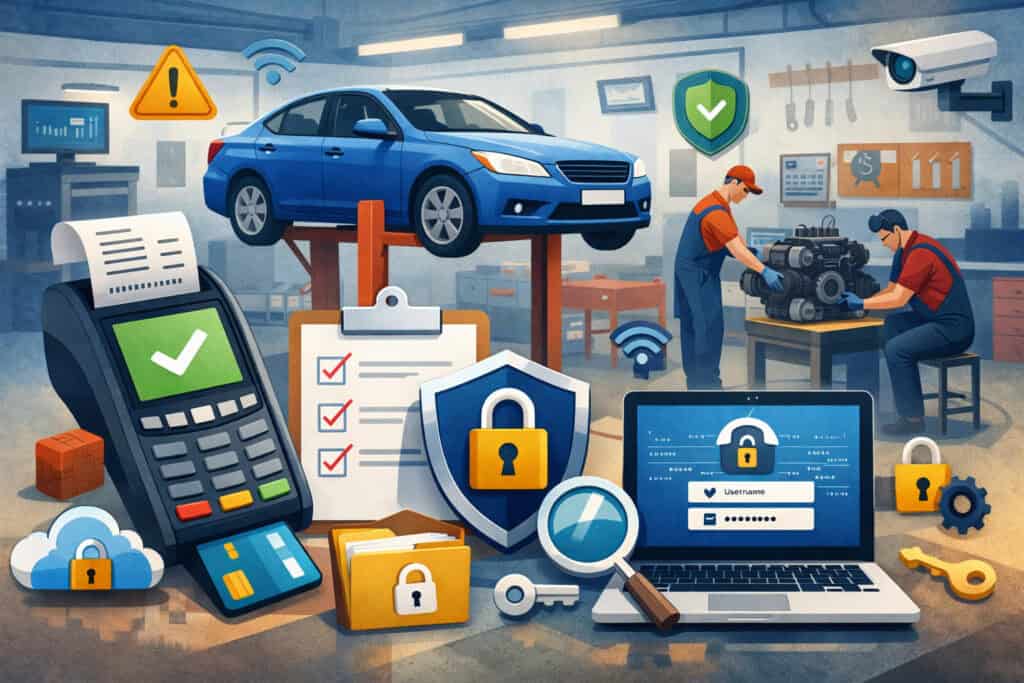
PCI DSS includes 12 core requirements grouped into security objectives (secure networks, protect data, manage vulnerabilities, control access, monitor/test, and maintain a security policy). While PCI DSS v4.x includes many detailed sub-requirements, the high-level structure remains centered on these themes.
Below is a shop-friendly explanation of the 12 requirements—focused on what they typically mean for small auto repair merchants.
The 12 PCI requirements in plain language
- Use network security controls (firewalls): Your network needs controlled entry/exit points. For many shops, that means a business-grade router/firewall, not a consumer device with default settings.
- Secure configurations (no vendor defaults): Default passwords, default settings, and unnecessary services are common entry points. Change them and harden devices.
- Protect stored account data: Best practice: don’t store card data at all. If you must store anything, you’ll need strong controls. For most shops, the goal is to store only tokens (not card numbers).
- Encrypt transmission of card data over open networks: Card data shouldn’t travel unencrypted over Wi-Fi or the internet. Use secure, encrypted payment solutions.
- Protect systems from malware: If your workstations are in scope, they need anti-malware controls and safe browsing practices.
- Develop and maintain secure systems and software: Keep systems updated. Patch POS systems, routers, and PCs. Retire unsupported operating systems.
- Restrict access by business need-to-know: Not every employee needs the ability to refund, key-enter, or view customer payment profiles.
- Identify and authenticate access: Unique logins per user, strong passwords, and (in many cases) MFA for administrative access.
- Restrict physical access to card data: Lock down terminals, networking gear, and any paper records that could contain payment details.
- Log and monitor access: You need visibility into who accessed systems and when—especially for systems that impact payments.
- Test security regularly: This includes vulnerability scanning and/or penetration testing depending on your environment. Many small merchants only need scans in certain cases, but you should confirm what applies.
- Maintain a security policy: Document the basics: acceptable use, password rules, incident response steps, and training.
How these requirements map to a typical repair shop
For many small automotive businesses, PCI becomes much simpler when you:
- Use standalone EMV terminals or a validated P2PE solution
- Avoid storing card data (no writing down numbers, no saving in notes)
- Keep payment devices on a controlled network
- Maintain strong access control and basic IT hygiene
If your POS is internet-connected and your PCs are used for both email and payments, your scope expands. The objective is to architect your process so your shop never touches raw card data.
Step-by-Step: How to Achieve PCI Compliance in an Auto Repair Shop
This section walks through a practical implementation path that aligns with a PCI DSS compliance checklist approach. It’s designed for owners and service managers who want a clear plan.
Step 1: Determine your PCI level and validation requirements
Start with your merchant statement or ask your processor/acquirer:
- Your merchant level
- Whether you must complete an SAQ and Attestation of Compliance (AOC)
- Whether you need PCI scan requirements (ASV scans)
- Any extra requirements from your processor
Even small shops can be required to do additional steps if:
- You have an externally accessible IP tied to in-scope systems
- You use certain POS architectures
- You experienced a security incident
Document what they tell you. This becomes the basis for your annual cycle.
Step 2: Identify your “card data flow” and reduce scope
Before you touch the SAQ, map how payments happen in your shop:
- Where cards are taken (front counter, service drive, mobile terminal)
- Whether you accept phone payments and how
- Whether you store anything (paper, digital notes, customer profiles)
- What devices are involved (terminal model, POS workstation, network equipment)
Then reduce scope aggressively:
- If you can switch to a solution that tokenizes and prevents your systems from handling PAN (primary account number), do it.
- Remove stored card data from notes, spreadsheets, ticketing systems, and email.
Reducing scope is the fastest way to reduce compliance burden and breach risk.
Step 3: Choose the right PCI SAQ for small businesses
SAQs are self-assessment questionnaires. The correct one depends on how you accept cards and what systems touch card data. PCI SSC provides guidance on SAQ eligibility and the importance of matching the SAQ to the environment.
Common SAQ scenarios for auto shops:
- SAQ B / B-IP: Often used when you have standalone payment terminals (dial-out or IP-connected) that do not store card data. (Eligibility depends on terminal type and setup.)
- SAQ C-VT: For merchants who manually key-enter one transaction at a time into a browser-based virtual terminal on a dedicated workstation (with strict limitations).
- SAQ C: For payment application systems connected to the internet, where card data is handled in a more controlled, limited way.
- SAQ D: The “catch-all” for environments that don’t meet the simpler SAQ criteria—often includes the most requirements.
Your processor’s PCI portal typically recommends an SAQ. Don’t just accept it blindly—verify it matches reality. Choosing the wrong SAQ is a common reason businesses think they’re compliant when they aren’t.
Step 4: Secure your POS system and payment terminal security
Your POS and terminal setup should be designed to minimize card data exposure:
- Use EMV chip card compliance terminals (chip reduces counterfeit fraud exposure)
- Disable unnecessary features (like card number display on screens)
- Ensure terminals are tamper-resistant and placed where staff can monitor them
- Keep terminals updated (firmware/software patches via provider)
For integrated POS:
- Confirm whether the POS workstation ever “sees” the full card number
- Prefer solutions that use end-to-end encryption or validated P2PE
- Use tokenized customer profiles rather than storing PAN
A practical standard: if a staff member can copy/paste a full card number from any screen, you likely have more scope than you want.
Step 5: Implement network security controls (firewalls) and segmentation
For most shops, this means:
- A business-grade firewall/router
- Changing default admin credentials immediately
- Disabling remote administration unless needed (and locking it down if used)
- Segmenting networks when possible:
- POS/terminals on one VLAN/network
- Office PCs and guest Wi-Fi on separate networks
Segmentation helps ensure that if an office PC gets infected through email, it can’t reach the payment environment.
Step 6: Anti-malware, patching, and secure configurations
If any PCs are in scope (virtual terminal, integrated POS, back-office payment functions), enforce:
- Anti-malware tools and automatic updates
- Monthly patching (or faster for critical security updates)
- Removal of unused software
- Limited local admin rights for daily users
A repair shop doesn’t need enterprise IT—just consistent basics.
Step 7: Restrict employee access and use unique credentials
This is where many shops fail audits and get breached:
- No shared logins for POS or virtual terminals
- Each employee has a unique user ID
- Role-based permissions (advisor vs. manager vs. accounting)
- Terminate access immediately when someone leaves
For example:
- Service advisors can run sales and void same-day mistakes
- Managers approve refunds above a threshold
- Accounting can run reports but cannot key-enter cards
This also improves fraud prevention inside the business.
Step 8: Strong password policies and MFA where appropriate
Minimum practical controls:
- Long passphrases instead of short complex passwords
- No password reuse across systems
- Lockouts after repeated failed attempts
- MFA for administrative access (especially remote access and system admin panels)
PCI DSS v4.x has strengthened emphasis around authentication and access controls in many environments.
Step 9: Enable encryption/tokenization and remove stored card data
For cardholder data protection, prioritize:
- Tokenization for saved payment profiles (recurring/fleet billing)
- Encrypted transmission for any payment entry
- Never storing full PAN, magnetic stripe data, or CVV after authorization
In shop terms:
- Don’t keep “last four + expiration + CVV” in a note
- Don’t text card numbers
- Don’t take pictures of cards
- Don’t store receipts that show more than permitted digits
If you discover stored card data, treat it like a project:
- Stop the process creating it
- Remove it securely
- Train staff and update your written policy
Step 10: Schedule vulnerability scans if required
PCI scan requirements (typically quarterly ASV scans) usually apply when you have internet-facing systems in the scope of PCI. Many small shops with standalone terminals may not need scans, but shops with:
- Integrated POS systems
- Remote access tools
- Internet-facing services connected to the payment environment may be required to scan.
Don’t guess—ask your provider and document the determination. If scans are required:
- Run scans quarterly
- Remediate “fail” items
- Keep scan reports for your records
Payment Security Best Practices for Mechanics and Service Advisors
PCI compliance is easier when your daily habits reduce risk. These operational controls are often the difference between a clean compliance validation and a painful incident.
Use EMV-compliant terminals and avoid fallbacks
EMV chip transactions reduce certain fraud types, but only if you:
- Use chip insert/tap whenever possible
- Train staff not to “force swipe” to speed up checkout
- Watch for repeated chip failures (could be a tampered terminal or damaged reader)
If customers pay at the vehicle (service drive), use approved mobile terminals and keep them physically secured when not in use.
Never write down card numbers (and what to do instead)
A common repair shop scenario:
- Customer calls during lunch rush
- Advisor writes the card number on a sticky note “just for a deposit”
- Note gets tossed in a drawer or trash
That creates immediate PCI scope and breach risk.
Better alternatives:
- Use a compliant virtual terminal workflow (C-VT style) with a dedicated payment workstation
- Use a “pay by link” or hosted payment page option (if your provider offers it)
- Call the customer back when you can process securely
- Take a partial deposit via approved method and finalize in-person
Secure Wi-Fi networks and isolate guest access
Do this even in small shops:
- Separate guest Wi-Fi from business systems
- Use WPA2/WPA3, strong passphrases, and disable WPS
- Change router admin credentials and keep firmware updated
If you have connected shop equipment (alignment systems, diagnostic tools), keep them off the payment network unless required.
Train staff to spot skimming and tampering
Make skimming checks part of opening procedures:
- Verify the terminal serial number matches inventory records
- Look for broken seals, new overlays, loose parts, or changed cables
- Ensure terminals haven’t been moved or swapped overnight
- Watch for “helpful strangers” offering to fix or replace equipment
Create a simple checklist and a “stop and escalate” rule: if a device looks wrong, stop taking card payments on it and call your provider.
Monitor refunds, voids, and key-entered transactions
Operational monitoring helps with data breach prevention and internal fraud:
- Review daily refund/void reports
- Track unusually high key-entered volume (often linked to phone payments or risky behavior)
- Set manager approval thresholds for refunds
- Reconcile batches daily
These practices support PCI goals even if they aren’t all explicitly required in every SAQ.
Common PCI Compliance Mistakes Auto Repair Shops Should Avoid
Most PCI failures in automotive shops come from a handful of repeat mistakes. Fixing these usually cuts your risk dramatically.
Mistake 1: Storing card data in work orders, notes, or spreadsheets
This is the big one. Shops store card data accidentally in:
- Shop management “notes” fields
- CRM notes
- Email confirmations
- Paper files in customer folders
- Text messages
If you need a “card on file,” use tokenization through your payment provider—never store PAN/CVV yourself.
Mistake 2: Ignoring annual SAQ renewal
PCI validation is usually annual. If you miss it:
- You may be flagged non-compliant in your merchant services compliance portal
- You may pay monthly non-compliance fees
- You could face stricter requirements after an incident
Put renewal on a calendar and treat it like insurance renewal—routine, planned, documented.
Mistake 3: Outdated POS systems and unsupported operating systems
Old systems create real risk:
- No security patches
- Known vulnerabilities
- Weak encryption
- Unsupported remote access tools
If your POS runs on an OS that’s no longer supported, plan a replacement. This is one of the most defensible compliance investments you can make.
Mistake 4: Sharing login credentials and weak permissions
Shops often share a “FrontCounter” login because it’s easy. That breaks accountability and increases risk.
Fix it by:
- Issuing unique logins
- Using role-based permissions
- Turning on session timeouts
- Disabling accounts immediately when staff leave
Mistake 5: Skipping vulnerability scans when required
Some shops assume scans are “for big companies.” But if your environment requires scans and you skip them, you can fail validation.
If scans apply:
- Schedule them quarterly
- Fix the findings
- Keep proof
If scans don’t apply, keep documentation showing why (based on your architecture and provider guidance).
Costs of PCI Compliance for Auto Repair Shops
PCI costs vary widely based on your payment setup, provider, and scope. The best way to keep costs predictable is to reduce scope and use validated payment solutions.
Typical cost categories
- Compliance validation costs
- SAQ completion (time cost)
- Potential assistance fees if you hire help
- Provider compliance program fees (varies)
- Technology investments
- EMV terminals
- Network firewall/router
- Endpoint protection (anti-malware)
- Updated POS systems
- Ongoing operations
- Staff training time
- Patch management and device inventory
- Periodic vulnerability scans (if required)
- Non-compliance penalties and incident costs
- Monthly non-compliance fees from some providers
- Post-breach investigations and remediation
- Potential chargeback and fraud exposure
- Business interruption
Why “cheapest” can become expensive
Many breaches begin with one of these:
- A compromised remote access tool
- An infected PC used for payments
- A tampered terminal
- Stored card data exposed through a simple mistake
If you invest in a payment architecture that minimizes card-data handling (tokenization, encryption, P2PE where appropriate), you often reduce both compliance effort and long-term cost risk.
How to Maintain PCI Compliance Year-Round
PCI is easier when you treat it as a cycle rather than a once-a-year scramble.
Annual validation: make it a repeatable process
Create a yearly routine:
- Confirm your SAQ type still matches your environment
- Re-attest that you don’t store cardholder data
- Reconfirm your device inventory
- Re-run required scans (if applicable)
- Update policies and training logs
Shops change workflows over time—new locations, new POS, new service manager, new phone payment habits. Your PCI validation should reflect reality.
Ongoing monitoring that fits a small shop
You don’t need an enterprise SOC. Focus on:
- Daily: review refunds/voids and unusual payment activity
- Weekly: check terminals for tampering, confirm backups (if used), verify updates
- Monthly: patch systems, review user access lists, confirm antivirus status
- Quarterly: run scans if required, review firewall/router status, verify segmentation
Policy documentation: keep it simple but real
Your PCI-related policies can be short, but they must match your workflow. Examples:
- “We never write down card numbers”
- “Phone payments are processed only through the dedicated payment workstation”
- “Only managers can process refunds over $X”
- “Terminals are inspected daily and logged”
Incident response planning for auto shops
If something goes wrong, staff need a clear script:
- Stop using the suspected device/system
- Preserve evidence (don’t wipe machines)
- Contact your payment provider/acquirer support immediately
- Notify your IT support partner if you have one
- Document what happened (time, device, who noticed)
A simple response plan reduces downtime and chaos when every minute matters.
Practical PCI DSS Compliance Checklist for Auto Repair Shops
Use this as your working PCI DSS compliance checklist and adjust based on your environment and SAQ.
A. Scope and data handling
- Map how your shop accepts payments (in-person, phone, invoice links)
- Confirm you do not store card numbers/CVV anywhere (digital or paper)
- Remove any stored card data found in notes, emails, spreadsheets, or files
- Use tokenization for recurring/fleet “card on file” needs
B. Payment acceptance and POS security
- Use EMV-compliant terminals and keep them updated
- Confirm your POS/payment setup minimizes exposure (encryption/P2PE where applicable)
- Lock down payment terminals (physical security, no unattended devices)
- Inspect terminals daily for tampering/skimming
C. Network and system security
- Use a business firewall/router; change default passwords
- Separate guest Wi-Fi from business systems
- Segment POS/terminals away from general office devices (when possible)
- Keep router/firmware and POS systems patched
D. User access and authentication
- Unique logins for each employee (no shared accounts)
- Role-based permissions (least privilege)
- Strong passwords/passphrases; disable unused accounts
- MFA for administrative/remote access where supported
E. Malware protection and maintenance
- Anti-malware installed and updating on in-scope systems
- Remove unnecessary software from payment workstations
- Restrict admin rights for daily users
- Maintain an inventory of in-scope devices
F. Monitoring, testing, and validation
- Review refunds/voids and key-entered activity regularly
- Run quarterly vulnerability scans if required
- Keep scan reports and remediation notes
- Complete annual SAQ + AOC by your deadline
G. Training and documentation
- Train staff on phone payments and “never write down card numbers”
- Document device inspection and incident steps
- Keep a short written security policy and update annually
FAQs
Q1) Do small auto repair shops need PCI compliance?
Answer: Yes. If you accept credit or debit cards, PCI DSS applies regardless of business size. The difference is how you validate compliance (often via an SAQ for small shops), not whether PCI applies.
Q2) What SAQ applies to auto repair shops?
Answer: It depends on your payment setup. Many shops with standalone terminals may qualify for SAQ B/B-IP, while shops that key-enter phone payments via a browser-based terminal may fall under SAQ C-VT (with strict workstation rules).
Integrated POS environments may require SAQ C or SAQ D. Use your processor’s guidance, but verify it matches your real workflow.
Q3) How much does PCI compliance cost?
Answer: Costs vary by provider fees, technology, and scope. Many small merchants’ biggest “cost” is staff time and basic security tools. Larger costs typically come from outdated POS replacements, network upgrades, or required scans.
Q4) What happens if I fail PCI compliance?
Answer: Common outcomes include non-compliance status with your processor, added monthly fees, and increased scrutiny. If a breach occurs while non-compliant, remediation requirements can become much more expensive and disruptive.
Q5) Do auto repair shops need vulnerability scans?
Answer: Sometimes. If you have internet-facing systems in your payment environment (or your provider requires it based on your architecture), you may need quarterly scans. Many standalone-terminal shops may not, but you should confirm with your acquirer/processor and document the result.
Q6) Is using a modern POS system enough for compliance?
Answer: Not by itself. A modern POS can help, but PCI also requires secure configuration, access control, policies, and operational practices (like not storing card data). Compliance is about the whole environment and process.
Q7) How often must PCI compliance be renewed?
Answer: Usually annually (SAQ/AOC), with ongoing requirements year-round. If scans are required, they’re often quarterly. Your provider will specify the schedule.
Q8) Can I store customer cards for future repairs?
Answer: You should avoid storing card numbers yourself. If you need “card on file,” use your provider’s tokenization so your shop stores only a token, not the PAN.
Q9) Are phone payments allowed under PCI DSS?
Answer: Yes, but the process must be secure. Avoid writing card numbers down. Use approved payment channels like a dedicated virtual terminal workstation or a compliant pay-by-link/hosted payment method where available.
Q10) What is tokenization and why does it matter?
Answer: Tokenization replaces the card number with a non-sensitive token that your systems can store and use for future billing. It reduces your exposure and helps keep PCI scope smaller.
Q11) What is encryption and how is it different from tokenization?
Answer: Encryption protects data while it’s transmitted or stored by converting it into unreadable form without keys. Tokenization replaces the sensitive value entirely. Many secure payment designs use both.
Q12) What should I do if I think my terminal was tampered with?
Answer: Stop using the device, document what you observed, and contact your payment provider immediately. Don’t attempt to “fix” it yourself or wipe anything—preserve evidence and follow provider instructions.
Q13) Does EMV chip card compliance reduce my PCI responsibilities?
Answer: It helps reduce certain fraud risks, but it does not eliminate PCI requirements. PCI focuses on protecting card data and securing systems, not only transaction type.
Q14) Can I use my personal phone hotspot for the terminal?
Answer: It’s strongly discouraged. Hotspots often lack the controls you need (segmentation, management, logging). Use a secured business network designed for payment traffic.
Q15) What’s the fastest path to simpler PCI compliance?
Answer: Minimize scope: use standalone or validated encrypted payment solutions, avoid storing card data, segment your network, use unique logins, and document basic procedures. Smaller scope generally means a simpler SAQ and lower ongoing burden.
Conclusion
PCI compliance for auto repair shops is achievable without becoming a security expert—if you focus on scope reduction and disciplined daily practices. The biggest wins come from eliminating stored card data, using secure payment terminals and POS architectures, and tightening access control so only the right people can perform sensitive actions.
Your next steps:
- Confirm your PCI level and required validation method with your processor
- Map your payment flow (in-person + phone) and remove any stored card data
- Align your setup to the right SAQ and meet eligibility requirements
- Harden your environment: firewall, segmentation, updates, anti-malware, unique logins
- Implement a simple monitoring and training routine (tamper checks, refund review, staff rules)
- Validate annually and maintain continuously with documentation you can actually follow