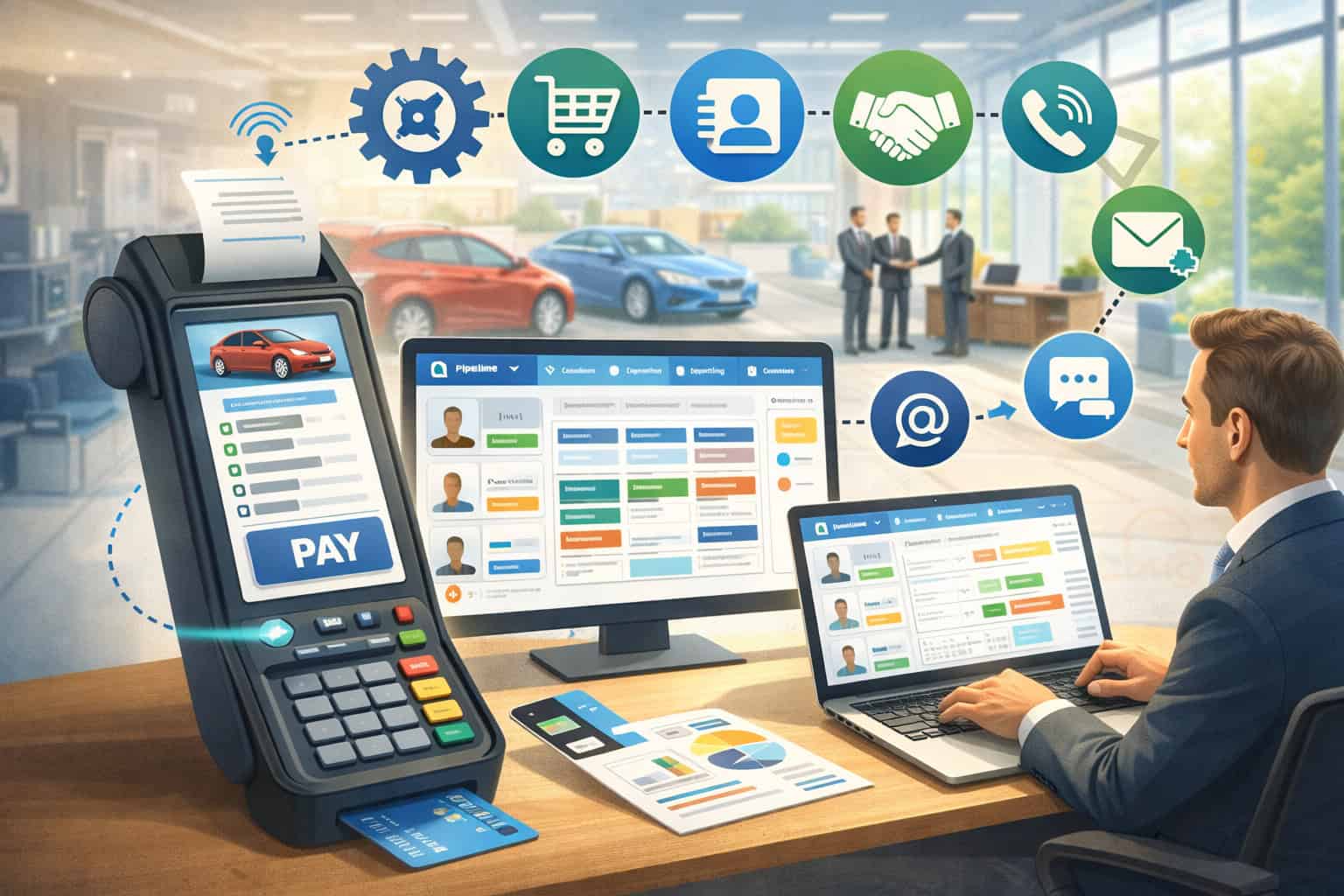
Disconnected tools create friction fast in a dealership. A customer may leave a deposit with one team, discuss financing with another, approve service work later, and then return months afterward for maintenance or parts.
When payments live in one system, customer notes live in another, and follow-up tasks sit in email inboxes or spreadsheets, the result is delay, confusion, duplicate work, and an inconsistent experience for the customer.
That is why more operators are paying closer attention to the value of an Integrated POS & CRM for Car Dealers. Instead of treating payment collection and customer management as separate functions, an integrated setup connects them.
The showroom, finance desk, service lane, and parts counter can all work from more complete customer records, cleaner transaction histories, and better visibility into what happened before, what is due now, and what should happen next.
For dealership owners and managers, this is not just a technology conversation. It is an operational conversation. It affects how quickly staff can take deposits, how accurately they can track repairs, how easily they can see prior transactions, how well they can follow up on missed appointments, and how confidently they can reconcile payments across departments.
In practical terms, a strong car dealership POS and CRM system helps reduce handoffs that get lost, speeds up routine transactions, and supports more consistent customer care from first inquiry to repeat visit.
When well chosen and properly implemented, integrated dealership software tools can improve day-to-day workflow without making the business feel overly automated. The goal is not to replace people.
The goal is to help people do their jobs with fewer blind spots, fewer manual workarounds, and better access to the information they need at the moment they need it.
What an Integrated POS & CRM for Car Dealers Actually Means
At a basic level, an integrated POS and CRM setup combines two functions that dealerships often manage separately. The POS side handles payments, transaction records, invoices, deposits, receipts, and sometimes refund activity.
The CRM side manages customer data, communication history, sales follow-up, service reminders, lead tracking, and relationship-building over time. When these tools are connected, information flows more naturally between payment activity and customer records.
That matters because dealerships do not operate like a simple retail counter. A single customer journey may include a lead form submission, an in-store visit, a vehicle deposit, F&I discussions, accessory add-ons, service appointments, and future parts purchases.
If each of those touchpoints is stored in a different system with weak or delayed syncing, staff spend more time searching than serving. An integrated POS CRM car dealers use well helps create one clearer picture of the relationship.
This does not mean every department uses the exact same screen or workflow. It means the underlying records connect. A service advisor can see payment history relevant to prior repair orders. A sales manager can see whether a prospect previously bought parts or serviced another vehicle.
A cashier can process a payment and know the customer’s contact details are already tied to the account. A manager can review reporting across transactions and customer activity without stitching together data by hand.
In a dealership payment and customer management system, the real advantage is context. A payment is not just a payment. It is part of a customer relationship, an operational process, and often a future revenue opportunity.
Likewise, a CRM note is not just a note. It may affect whether a team member asks for the right paperwork, sends a service reminder on time, or handles a refund or disputed transaction correctly.
How integrated tools differ from separate systems
Using separate tools is common, especially in dealerships that grew over time by adding software one function at a time. One platform may handle card payments. Another may store service appointments.
A third may track leads. A fourth may hold accounting exports. On paper, each one may work reasonably well. In practice, gaps appear when staff move between systems or when customer history needs to be understood quickly.
A standalone payment terminal can process a transaction, but it usually does not tell the team much about the broader customer journey.
A separate CRM can store notes and contact details, but it may not automatically reflect what the customer paid, where they paid, whether the payment was a deposit, or whether a refund was issued later. This creates extra steps, duplicate entry, and more room for error.
With dealership CRM integration POS tools, teams can often tie payment records directly to customer profiles, repair orders, invoices, appointments, and follow-up tasks.
That means fewer manual workarounds, faster record lookup, and stronger continuity between departments. Instead of re-entering names, invoice details, and notes in multiple places, staff can rely on a more connected workflow.
Why dealerships feel the pain of disconnected data more than many other businesses
Dealerships handle a wider mix of transactions and customer interactions than many business models. A customer may pay a vehicle deposit remotely, complete another payment in person, purchase protection products, return for scheduled maintenance, buy accessories later, and then dispute a charge months afterward if records are unclear. Each department touches a different part of that timeline.
That complexity makes disconnected systems especially costly. A sales department may think a customer is “new” because it cannot see prior service activity. A service department may miss a useful sales note about preferred contact methods.
Accounting may spend hours matching deposits to final invoices. Managers may struggle to understand whether a campaign drove more service appointments or just more phone calls. These are not dramatic failures. They are steady operational drags that add up.
A car dealer customer tracking software environment becomes more useful when payment events and customer events live together in a structured way.
Instead of fragmented histories, teams get clearer timelines. Instead of relying on memory or sticky notes, they can reference real activity. That is where integration stops being a technical feature and starts becoming an operational advantage.
How a Car Dealership POS and CRM System Supports the Whole Business
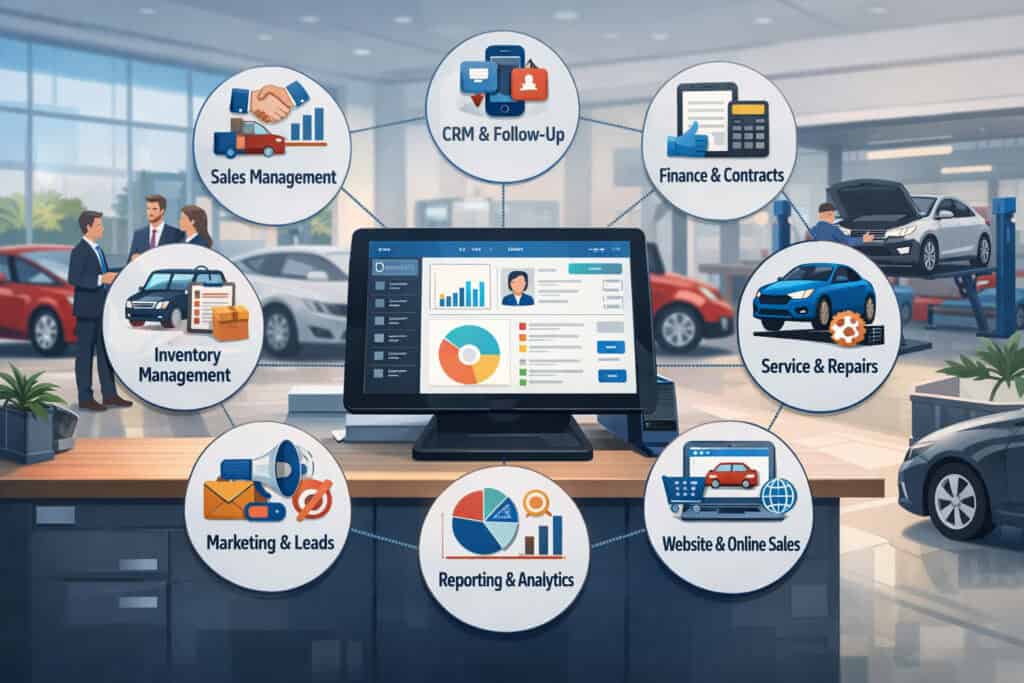
An integrated setup is most valuable when it supports more than one department. Dealerships are not just sales floors. They include business offices, service advisors, technicians, cashiers, parts operations, and managers who need visibility across all of it.
A car dealership POS and CRM system should help each part of the business do its job without isolating information from everyone else.
In vehicle sales, integration helps teams manage lead follow-up, appointment scheduling, deposits, purchase timelines, and customer communication in a more connected way. If a prospect leaves a deposit, the record should not disappear into a payment log that only one team can see.
It should inform the sales process, document the commitment, and help staff communicate clearly about next steps. For remote or card-not-present payments, that visibility becomes even more important for documentation and dispute prevention.
Guidance on dealership payment flows, security, and system connections matters because payment processing in auto sales is more complex than a simple retail swipe.
In service, the need is just as strong. Advisors often work in fast-paced environments where they need vehicle history, prior approvals, stored customer details, open invoices, and payment status quickly.
If service reminders, appointment history, and invoice records connect to the CRM, the department can communicate more consistently and reduce missed follow-up opportunities. This is especially useful for repeat maintenance customers who may not think of themselves as “sales leads” but still represent long-term value to the dealership.
Parts counters benefit too. Parts purchases may be one-time transactions, but they also create data points that matter later. If a customer buys a specific accessory, prep item, or replacement component, that can support future recommendations, warranty conversations, or service notes. An integrated record makes those details easier to find.
Showroom and lead management workflows
In the showroom, speed and continuity matter. A lead comes in through a website form, phone call, walk-in, or referral. The CRM captures contact details, vehicle interest, trade-in notes, and follow-up tasks. But if the customer decides to place a deposit, the payment side of the process needs to support that moment without forcing staff into disconnected tools.
A dealership sales and service workflow software environment works best when the transition from interest to commitment is visible to everyone involved. A manager should know when a deposit is placed.
A salesperson should see that payment attached to the customer’s record. A finance team member should not need to hunt through separate logs to confirm what has already been collected.
This kind of integration also helps protect the customer experience. When the next team member picks up the conversation, they do not need to ask repetitive questions or guess what happened before.
They can see the timeline, reference the right details, and move the process forward with confidence. For a customer making a large purchase decision, that professionalism matters.
Service lane, cashiering, and repeat maintenance workflows
Service operations thrive on speed, record accuracy, and consistent communication. When a customer arrives for maintenance or repair, staff need to confirm the appointment, review prior work, note recommendations, update contact preferences, and take payment without slowing down the lane.
If the payment system and CRM are disconnected, the customer may get a receipt but the dealership loses an opportunity to strengthen future follow-up.
Automotive POS software with CRM can help service departments connect invoices, payment records, declined services, and communication history to the same customer profile. That creates a more useful operational record.
If a customer declined brakes last visit but completed an oil change and tire rotation, the team can follow up more intelligently. If a payment was split between a card and another method, that information stays tied to the service record rather than living in a separate payment silo.
The benefit is not just better marketing. It is better continuity. A returning customer should not have to explain their history each time. The advisor should be able to see appointment patterns, prior approvals, open recommendations, and recent payment history in context. That makes service reminders more relevant, checkout smoother, and conversations more productive.
Core Benefits of Integration for Sales, Payments, and Retention

The strongest case for an integrated dealership setup is not that it adds more features. It is that it reduces friction between the features the dealership already needs. Sales teams need customer records.
Service teams need history. Cashiers need accurate invoices. Managers need reporting. Customers need a smoother experience. CRM and POS integration for auto dealers helps connect those needs instead of treating them as separate problems.
One of the biggest gains is centralized customer data. When customer contact details, communication records, invoice history, deposits, and service transactions connect in one environment, staff can work with more confidence.
That does not eliminate all errors, but it reduces guesswork. It also helps prevent the kind of duplicate records that confuse follow-up and weaken reporting.
Faster checkout is another practical benefit. Whether a customer is paying a repair invoice, leaving a vehicle deposit, purchasing accessories, or settling a balance after delivery, integrated systems can reduce repeated entry and make it easier to generate receipts tied to the right account. This can shorten wait times and improve accuracy, especially during busy periods.
Better follow-up is where the CRM side proves its value. Payment activity often signals where the relationship stands. A deposit may trigger next-step communication. A completed service payment may trigger a maintenance reminder.
A declined estimate may trigger a later follow-up. An integrated system makes these actions easier to automate, assign, or monitor without losing the human touch.
Better team coordination and cleaner internal records
Dealerships often struggle not because staff are careless, but because information is fragmented. One person updates the CRM. Another takes a payment. A third issues a refund. A fourth review reporting. If those actions do not connect clearly, small mistakes become recurring headaches.
A dealership payment and customer management system can improve coordination by creating shared visibility. Teams can see whether a customer has already paid, whether an invoice is still open, whether follow-up is overdue, and whether a refund was processed. Managers can spot patterns without relying on verbal updates or end-of-day guesswork.
This also supports cleaner records for accounting and reconciliation. If deposits, final payments, and service invoices tie back to customer records and department-level reporting, back-office work becomes more manageable.
Instead of matching transactions manually across separate tools, staff can rely on more structured data. That helps reduce time spent fixing preventable record issues.
For multi-department dealerships, cleaner records also reduce internal conflict. Service does not blame accounting for missing data. Sales does not blame finance for unclear payment status. Everyone works from a more consistent source of truth.
Stronger customer retention through more relevant follow-up
Retention is not only about sending more messages. It is about sending the right message at the right time with enough context to be useful. Integrated dealership software tools make that easier because they connect behavior with communication.
For example, a customer who paid for a 30,000-mile service should not receive a generic “We miss you” email two days later. They should receive relevant reminders based on what was completed and what may come next.
A customer who left a vehicle deposit but has not completed paperwork may need a different follow-up than someone who purchased a service package or parts add-on. Integration helps teams segment more intelligently because payment events are part of the customer record.
That improves customer experience and can also improve response rates. People are more likely to engage when messages reflect their actual history. Over time, that leads to better continuity across departments and stronger repeat business.
Bridging the Gap Between the Showroom, Finance Office, Service Lane, and Parts Counter
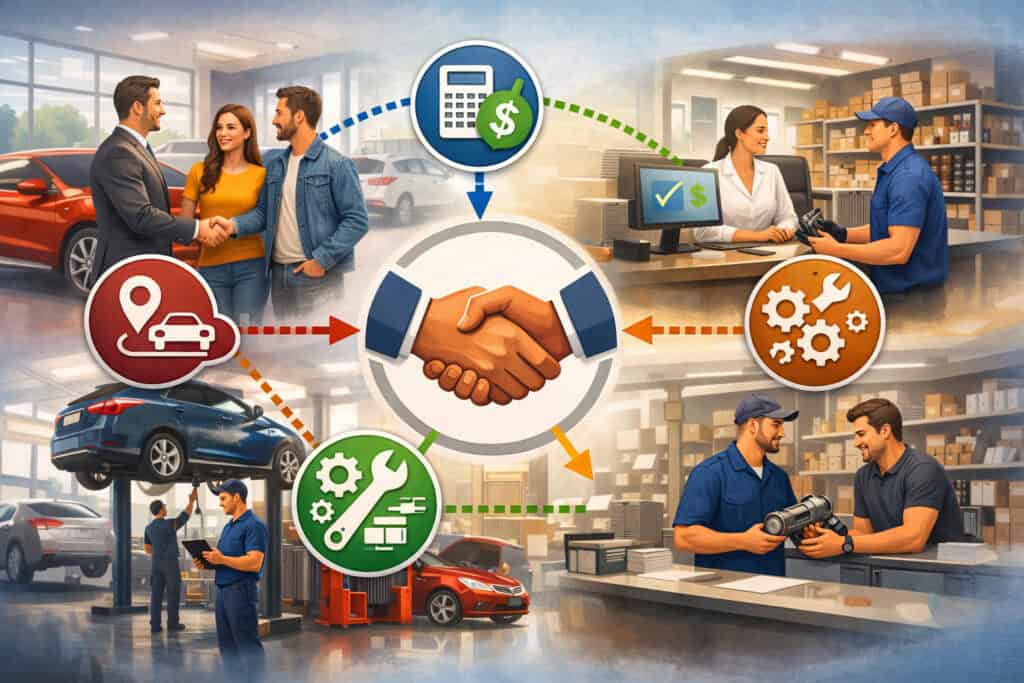
Many dealerships operate in functional silos because each department has its own pressures. The showroom focuses on lead handling and vehicle sales. The finance office focuses on documentation, approvals, and payment completion.
Service focuses on appointments, recommendations, and repair orders. Parts focus on inventory movement and transaction speed. These departments need different workflows, but they should not be cut off from one another.
An integrated POS & CRM for car dealers helps bridge those gaps by connecting customer history across the business. That does not mean every employee sees every detail. It means appropriate information becomes easier to access when it matters.
A sales rep can know that a prospect is already an active service customer. A service advisor can see that a customer recently purchased a vehicle and may have warranty-related questions. A manager can see that a large down payment, add-on charge, and later service purchase all belong to the same account history.
This broader visibility improves handoffs. Handoffs are often where customer experience breaks down. The customer tells their story to one person, then has to repeat it to the next. They assume the dealership knows what happened, but the systems do not support that expectation. Integration narrows that gap by preserving context.
It also improves accountability. When tasks, notes, invoices, and payments all tie into connected workflows, it becomes easier to see who handled what and when. That reduces ambiguity in both customer service and internal operations.
Why finance-related workflows benefit from deeper integration
Finance-related workflows involve more than collecting money. They may include deposits, staged payments, balances due, documentation timing, product add-ons, and refund questions if a deal changes. When these events live only in a payment processor or separate office workflow, the dealership risks communication gaps.
A connected system makes it easier to manage that complexity. If a deposit is placed before full deal completion, the team can track it properly, communicate clearly, and reduce confusion later.
If a customer adds a protection product or service contract, that payment record should connect to their broader account history. If a refund or adjustment is needed, staff should not have to search across multiple systems to confirm the original transaction.
This also helps with dispute readiness. Automotive transactions can involve higher tickets, delayed fulfillment, and multiple payment moments, which can increase confusion if records are weak.
Clear documentation and integrated visibility support cleaner payment handling and stronger internal controls around deposits, refunds, and verification.
How service and parts gain from shared customer timelines
Service and parts teams often hold valuable customer relationship data that never makes it back to sales or management in a usable way. A customer may be highly loyal to the service department but unknown to the sales team.
Another may buy accessories regularly but receive no tailored communication because those transactions never connect to the CRM.
With shared timelines, those interactions become more useful. A service advisor can see if a customer has recently purchased a vehicle, which may affect warranty discussions or maintenance expectations.
A sales team can identify strong service customers who may be more receptive to trade-in conversations later. Parts teams can document purchases that support future recommendations or help explain later service needs.
The result is not aggressive cross-selling. It is better continuity. The dealership learns from its own interactions instead of treating each department visit as a fresh start. That is one of the clearest advantages of dealership CRM integration POS tools when used thoughtfully.
Operational Efficiencies: Where Integration Saves Time and Reduces Error
A dealership does not need new complexity. It needs fewer avoidable tasks. That is why operational efficiency is such a major reason to adopt integrated systems.
When staff stop re-entering data, chasing payment details, or reconciling duplicates, they gain time for customer-facing work and fewer preventable mistakes make it through the process.
Reduced manual entry is one of the most immediate gains. In disconnected environments, the same customer name, phone number, invoice number, or transaction note may be entered several times across different systems.
Every extra entry point increases the chance of typos, mismatched records, and inconsistent histories. A stronger integrated dealership software tools setup reduces that repetition by allowing information to flow from one relevant step to the next.
Fewer duplicate records matter more than many dealerships realize. Duplicate customer profiles can undermine follow-up, confuse reporting, and lead to fragmented communication. One profile may show a service history while another shows a deposit or sales conversation.
Staff may not realize they are dealing with the same person until later, if at all. Integration helps reduce those splits by tying payment and customer events together.
Faster reconciliation is another major operational benefit. Dealerships often process deposits, service invoices, parts transactions, and other payments across different times and departments.
If those records are easy to trace back to the right customer and workflow, accounting teams spend less time matching and correcting data.
Better reporting and management visibility
Managers need more than raw transaction counts. They need to understand what is happening across departments, where workflows slow down, which communication efforts produce action, and where payment issues tend to appear. Separate systems can provide reports, but those reports often answer only part of the question.
A well-structured car dealership POS and CRM system improves reporting by connecting customer behavior with payment activity and operational outcomes.
A manager can review how many leads are converted after placing a deposit, how many service reminders led to completed appointments, or how quickly specific departments close out payments. These insights are far more useful than isolated snapshots.
Department-level visibility is especially important in larger operations. The service lane may look busy while collections lag. Parts sales may be strong but poorly documented in the CRM. Sales may generate deposits that are not clearly represented in broader reporting. Integration helps surface these gaps earlier.
This does not guarantee perfect reporting. Bad processes still create bad data. But integration gives management a better foundation for making decisions because the system can capture the relationship between actions instead of presenting unrelated fragments.
Stronger internal communication without more meetings
When workflows are clear inside the system, teams spend less time chasing updates verbally. That does not remove the need for management or accountability, but it does reduce the daily friction of “Who took this payment?” or “Did anyone follow up?” or “Why does this customer have two records?”
A dealership sales and service workflow software setup can improve internal communication by making task ownership, status changes, and transaction history easier to see. This is especially useful during shift changes, busy weekends, or situations where a customer moves between departments in the same day.
For example, a service advisor can note that a customer approved an upsell but wants to pay remotely when the work is complete. If that note and later payment record attach to the same customer timeline, the next employee does not need a separate explanation. The process becomes easier to continue accurately.
Customer Experience Benefits That Matter in Everyday Dealership Work
Customers rarely describe their experience in terms of “system architecture.” They feel the effects in simpler ways. Did they have to repeat themselves? Was the checkout confusing? Did the dealership remember prior visits? Did reminders make sense? Was it easy to understand what they paid for and why? An integrated POS and CRM setup shapes those answers more than many dealerships expect.
Smoother payment handling is one obvious benefit. Customers want clear receipts, accurate totals, and confidence that their payment connects to the right purchase or service. If a deposit, invoice, or refund is hard for staff to locate, trust erodes quickly.
By keeping payment records tied to customer profiles and workflow history, dealerships can answer questions faster and reduce frustrating back-and-forth.
Personalized communication also improves when the CRM reflects actual payment and service events. A service reminder after a recent repair should reference the right interval, not a generic blast.
A follow-up after a deposit should acknowledge where the customer is in the process. A repeat maintenance customer should receive continuity, not random outreach that ignores their history.
Clearer records matter just as much. Many customer complaints start with confusion rather than true disagreement. If the dealership can quickly show what was approved, what was paid, and what happened next, conversations are easier to resolve. That improves satisfaction even when the answer is not exactly what the customer hoped for.
Realistic scenario: vehicle deposit and delayed follow-up
Imagine a customer finds a vehicle online, speaks with a salesperson, and leaves a deposit remotely to hold the unit until the weekend. In a disconnected environment, the payment may be processed correctly but not clearly reflected in the customer record.
When the customer calls back, a different team member may not immediately see the deposit, may ask repetitive questions, or may create a duplicate contact profile.
In an integrated system, the deposit appears as part of the customer timeline. The salesperson sees that the hold payment was made. Management sees the updated status. The customer receives a receipt tied to the right record. When the next step in the process happens, the team is not starting from scratch.
This improves more than convenience. It reduces the chance of missed communication, duplicated effort, and disputes about what was paid and when. For high-consideration purchases, that kind of confidence matters.
Realistic scenario: repeat maintenance customer with missed service reminder
Now consider a customer who regularly visits for maintenance. Last visit, they declined recommended brake work and paid for an oil change. A month later, the dealership wants to follow up.
In a basic CRM, the customer might receive a generic reminder. In an integrated dealership payment and customer management system, the follow-up can reflect what actually happened.
The advisor or automated workflow can reference the prior visit, confirm the completed service, and remind the customer about the declined recommendation when appropriate.
Because invoice and payment history are tied to the profile, the reminder is grounded in reality. If the customer books again, the advisor can see the prior pattern and continue the conversation smoothly.
This is where customer experience becomes practical rather than theoretical. The dealership appears more organized because it is more organized. The customer feels recognized because the system supports recognition.
Features That Matter Most in Automotive POS Software With CRM
Not every feature deserves the same weight. Dealerships often get distracted by long software checklists and flashy dashboards while missing the operational basics that staff use every day. When evaluating automotive POS software with CRM, the most important features are the ones that support real dealership workflows with consistency and clarity.
Payment processing is foundational. The system should handle in-person and, when needed, remote payment collection with clear transaction records, receipt generation, refund support, and the ability to tie payments to the correct customer, invoice, or department.
For many dealerships, support for deposits, split payments, and higher-value transactions is especially important because those are common friction points. Educational guidance on auto dealer payment systems increasingly emphasizes support for deposits, faster confirmations, cleaner reconciliation, and security controls rather than just basic card acceptance.
Contact management is equally important. Staff need reliable customer records that include communication history, vehicle associations, service notes, and preferences where appropriate. A CRM that only stores names and phone numbers is not enough in a dealership context.
Sales pipeline tracking matters because vehicle purchases often unfold over multiple steps. Teams need to know where a lead stands, whether a deposit was taken, whether financing conversations are underway, and who owns the next action. The best systems make those stages visible without requiring excessive manual updates.
Service history, invoice storage, and reminders
For service operations, appointment history and invoice storage are highly practical features. Staff should be able to review prior visits, completed work, declined recommendations, payment status, and customer communication in one place or through a clearly connected interface. That reduces time spent switching tabs or relying on memory.
Service reminders are another valuable feature, but only when they reflect real events. Generic reminders can still have value, but integrated reminders tied to repair intervals, declined work, or past visits are far more useful. This is where car dealer customer tracking software becomes meaningful rather than administrative.
Invoice storage also matters for customer service and dispute handling. If staff can quickly pull a receipt, authorization record, or transaction note, they can resolve questions faster and with more confidence. This supports not just efficiency, but trust.
Reporting dashboards and department-level visibility
Reporting dashboards can be genuinely helpful, but only if they show information that managers can act on. A dealership should be able to review department performance, payment trends, follow-up activity, open items, and customer patterns without exporting data from multiple disconnected sources.
Department-level visibility is especially important because dealership workflows vary widely. Sales managers need lead and deposit status. Service managers need repair volume and follow-up completion. Accounting needs transaction traceability. General management needs a broader view that does not flatten everything into one metric.
The best integrated POS CRM car dealers adopt do not just collect data. They organize it in ways that match dealership roles. That makes reporting more useful and improves adoption because staff can see why the system matters to their specific work.
Payments, Fraud Controls, Refunds, and Compliance-Related Workflows
Payments in a dealership environment carry more operational risk than many small-ticket businesses face. Deposits may be taken before delivery. Final amounts may change based on add-ons, taxes, or revised terms.
Service tickets can grow after diagnostics. Remote payments may occur by phone, text, or online links. All of this creates a need for stronger documentation, better transaction controls, and cleaner records.
That is why dealership CRM integration POS decisions should include a serious look at fraud controls and compliance-related workflows. The point is not to turn the dealership into a risk department. The point is to make sure everyday payment handling supports verification, documentation, and consistency.
For example, remote deposit handling should not feel improvised. Staff need a clear process for documenting authorization, linking the payment to the correct customer and vehicle, and preserving records that can be retrieved later.
Refund workflows also matter. If a deal changes or a transaction needs adjustment, the system should make it easy to trace the original payment and document the reason for the refund.
Resources on secure dealership payments and chargeback prevention repeatedly stress that clear authorization records, customer communication, and payment traceability are central to reducing fraud and disputes.
Compliance-related work also becomes easier when records are structured properly. A dealership handling sensitive payment data should prioritize secure workflows and limit unnecessary exposure.
Connected systems can help by reducing manual workarounds, supporting cleaner transaction logging, and making it easier to show what happened if questions arise later. Payment security and PCI-related expectations remain especially important for dealerships because of high-ticket transactions and sensitive customer information.
Where integration helps with fraud prevention and dispute readiness
Fraud prevention is not only about blocking suspicious transactions. It is also about reducing confusion that later becomes a dispute.
In dealerships, disputes often stem from unclear authorization, misunderstood deposits, follow-up charges the customer did not expect, or poor documentation around services and add-ons. Integrated systems help by keeping payment and communication history together.
If a customer questions a deposit, staff should be able to pull the payment record, the related customer communication, and the status of the deal.
If a service customer disputes a final amount, the dealership should be able to show the invoice, approval notes, and payment timeline. When these records are scattered, the dealership is slower and less convincing. When they are connected, the response is cleaner.
This also supports internal controls. Managers can review patterns in refunds, remote payments, or disputed transactions more easily when the underlying data is tied together. That visibility can reveal training needs or process weaknesses before they become bigger problems.
Why secure payment workflows matter for customer trust
Customers may not ask about tokenization, PCI scope, or payment architecture. But they do care whether a transaction feels legitimate, traceable, and professionally handled. If staff write down card details, email sensitive information, or rely on disconnected manual workarounds, trust can erode even when no incident occurs.
An integrated system can support safer behavior by giving staff better tools. If remote payment requests can be sent through approved workflows, if receipts are generated automatically, and if transaction histories are easy to locate, there is less temptation to improvise. That protects the dealership and reassures the customer.
For readers who want more background on related operational issues, it can help to review educational resources on how payment processing works for auto dealers, secure payment solutions for auto businesses, chargebacks in the auto industry, and tips for avoiding chargebacks in auto sales and services.
Challenges and Limitations Dealerships Should Understand Before Adopting
An integrated system can deliver real value, but it is not a magic fix. Dealerships that approach implementation casually often end up disappointed, not because integration is a bad idea, but because the rollout did not match the dealership’s actual workflows and constraints. A balanced view is important.
Implementation cost is one of the first realities. An integrated POS & CRM for car dealers may involve software licensing, setup fees, hardware updates, data cleanup, training time, and possible consulting support.
The right question is not whether there is a cost. The right question is whether the dealership understands what it is paying for and what operational problems it expects to solve.
Staff adoption is another common challenge. Even strong systems fail if frontline employees see them as extra work. Sales teams, service advisors, and cashiers need workflows that feel faster or more useful than the old method. If leadership does not involve them early, the system may look good on paper but struggle in daily use.
Data migration can be more difficult than expected. Old CRMs, payment systems, spreadsheets, and duplicate records rarely move over cleanly without effort. If the dealership assumes the new platform will automatically fix bad historical data, disappointment usually follows.
Workflow changes are often harder than software setup
One overlooked limitation is that integration usually requires process discipline. A dealership cannot expect the software to create clarity if staff still skip steps, enter inconsistent notes, or use side channels for important information. In many cases, the biggest challenge is not technical integration but workflow alignment.
For example, if deposits are sometimes entered under customer names, sometimes under vehicle stock numbers, and sometimes only in email threads, the new system cannot fully solve the problem until the dealership standardizes the process. The same goes for refunds, service approvals, and follow-up ownership.
This is why change management matters. Teams need not just training on buttons and screens, but clear expectations about how the dealership wants work done. That includes naming conventions, timing of record updates, payment documentation standards, and escalation paths when something goes wrong.
Choosing tools that fit dealership size and complexity
A smaller operation with a straightforward sales process and modest service volume may not need the same level of system depth as a larger multi-department group. On the other hand, a growing dealership can outgrow lightweight tools quickly if they lack department-level visibility or deeper payment workflow support.
This is why fit matters more than feature count. Some platforms are great at basic contact management but weak on transactional detail. Others are strong in payments but weak in follow-up workflows. Some offer “integrations” that are little more than one-way exports. A dealership should assess its process complexity honestly before choosing.
The more departments, payment types, and customer handoffs involved, the more important real integration becomes. That is especially true when the business handles remote deposits, repeat service volume, multi-location reporting, or frequent adjustments and refunds.
Common Mistakes Dealerships Make When Evaluating Integrated Dealership Software Tools
Many software mistakes begin with good intentions. Leadership wants less friction, better reporting, and smoother customer experiences. But under pressure, dealerships sometimes choose tools based on convenience, price, or surface-level demos instead of actual workflow fit. That can lead to expensive frustration later.
One common mistake is choosing software based only on price. Cost matters, but a cheaper platform that creates manual work, weak reporting, or poor staff adoption can be more expensive over time. The real evaluation should include efficiency gains, reduced error risk, support quality, implementation burden, and how well the tool matches dealership processes.
Another frequent mistake is overlooking integration depth. Vendors may say a POS and CRM “talk to each other,” but that phrase can mean many different things.
Does payment activity appear in the CRM automatically? Are refunds synced? Can departments see what they need without switching systems constantly? Are receipts and invoices stored in a searchable way? These details determine whether the integration supports real work.
Failing to involve frontline staff is another major issue. Managers may focus on reporting while sales, service, and cashier teams focus on speed and usability. If the people doing the daily work are not included in evaluation, adoption suffers. Their feedback often reveals practical problems early.
Underestimating onboarding, training, and cleanup work
A new platform is not truly “implemented” when the contract is signed. It is implemented when staff use it correctly and consistently. Dealerships sometimes underestimate the time required for onboarding, data cleanup, role setup, permissions, workflow design, and follow-up coaching.
Training is especially important because dealerships are busy environments. People need enough structure to use the system properly even during rush periods, staff turnover, or month-end pressure.
A one-time training session is rarely enough. Ongoing reinforcement often makes the difference between average adoption and reliable use.
Cleanup work matters too. If old duplicate records, bad contact data, or inconsistent payment notes are imported without review, the new system inherits the old problems. That can damage trust in the platform from day one.
Assuming more automation always means better operations
Automation can be valuable, but only when it supports well-defined processes. Some dealerships get excited about automated reminders, payment prompts, or follow-up sequences without first deciding what the dealership wants those actions to accomplish. The result can be noise instead of value.
For example, an automated reminder is not helpful if it goes out after a payment issue has already been resolved. A payment link is not useful if staff cannot see whether the customer completed the transaction. A sales follow-up sequence can feel careless if it ignores recent service activity or a recent purchase.
Integrated dealership software tools work best when automation is built on solid data and real operational logic. Otherwise, the dealership may simply scale up confusion more efficiently.
Practical Checklist for Evaluating or Upgrading an Integrated POS and CRM Setup
Before committing to a platform, dealerships should evaluate it against real operating needs rather than generic promises. The checklist below can help structure that review.
| Evaluation Area | What to Look For | Why It Matters |
| Payment workflow support | Deposits, split payments, refunds, remote payments, searchable receipts | Dealerships handle more than simple counter transactions |
| CRM depth | Contact records, communication history, vehicle associations, service notes | Better continuity across departments |
| Integration quality | Real-time sync, bidirectional updates, invoice and payment visibility | Prevents duplicate entry and delayed records |
| Service workflow support | Appointment history, declined work tracking, reminders, invoice storage | Helps service retention and cleaner advisor workflows |
| Reporting | Department dashboards, transaction traceability, customer activity views | Improves decision-making and accountability |
| Security and controls | Role permissions, secure payment workflows, audit visibility | Supports safer handling of high-value transactions |
| Ease of use | Fast screens, clear navigation, realistic daily workflows | Directly affects staff adoption |
| Implementation support | Migration help, onboarding plan, support responsiveness | Reduces rollout risk |
A practical evaluation process should also include workflow testing. Do not rely only on presentations. Ask the vendor to demonstrate the exact scenarios your dealership handles most often.
Here is a useful dealership-focused checklist to guide that conversation:
- Can the system tie deposits, final payments, service invoices, and refunds to a single customer timeline?
- Can staff search by customer, vehicle, invoice number, repair order, and date?
- How does the system handle duplicate records and customer merges?
- What payment methods are supported, and how are remote transactions documented?
- Can service reminders reflect actual completed or declined work?
- What reporting exists for department managers versus ownership or accounting?
- What does implementation include, and who is responsible for data cleanup?
- How much training is needed for sales, service, cashiers, and management separately?
- What happens when the internet is unstable, a payment fails, or a sync error occurs?
- How are permissions controlled so departments can see what they need without unnecessary exposure?
Frequently Asked Questions
What is the main benefit of an Integrated POS & CRM for Car Dealers?
The main benefit is better visibility across both customer activity and payment activity. Instead of keeping transactions in one system and customer follow-up in another, an integrated setup connects the two. This helps dealerships improve checkout speed, customer communication, reporting accuracy, team coordination, and long-term retention.
Is a car dealership POS and CRM system only useful for vehicle sales?
No. A car dealership POS and CRM system can support multiple parts of the business, including sales, service, parts, cashiering, and follow-up communication. It can help track deposits, invoices, service history, payment records, reminders, and repeat-customer activity across departments.
How does CRM and POS integration for auto dealers improve customer experience?
CRM and POS integration for auto dealers improves customer experience by making records more consistent and interactions more connected. Staff can see payment history, service visits, communication notes, and next steps in one place. That reduces repeated questions, shortens payment handling time, supports more relevant reminders, and creates a smoother experience across the dealership.
Can integrated POS CRM car dealers use help reduce duplicate records?
Yes, integrated POS CRM car dealers use can help reduce duplicate records when customer profiles, payments, invoices, and follow-up details are connected properly. This makes it easier to keep records cleaner, reduce manual entry, improve reporting, and avoid fragmented customer histories across departments.
What features matter most in automotive POS software with CRM?
The most important features usually include payment processing, contact management, appointment and service history, invoice and receipt storage, sales pipeline tracking, service reminders, refund handling, reporting dashboards, and department-level visibility. The best combination depends on dealership size, workflow complexity, and how sales, service, and payment processes are managed.
Do dealerships need deep integration if they already have a CRM?
In many cases, yes. A standalone CRM may manage leads and customer notes, but it may not show deposits, service payments, refunds, or invoice history clearly. Deeper integration helps connect payment workflows with customer management so staff can work from more complete records and reduce manual updates.
How can dealership CRM integration POS tools help with disputes or refunds?
Dealership CRM integration POS tools can help by keeping payment history, invoices, notes, and customer records connected. When a refund or dispute comes up, staff can locate the original transaction faster, verify the timeline, and respond with clearer documentation. This supports better internal control and a smoother customer resolution process.
What is the biggest mistake dealerships make when implementing an integrated dealership payment and customer management system?
One of the biggest mistakes is underestimating onboarding, staff training, and workflow changes. Even the best dealership payment and customer management system can fall short if teams are not trained well, old records are not cleaned up, and internal processes are not clearly defined before rollout.
Conclusion
An Integrated POS & CRM for Car Dealers is not just about combining software categories. It is about building a dealership workflow that makes more sense for the people using it every day.
When payments, customer records, follow-up tasks, service history, and reporting are connected, the business becomes easier to manage and the customer experience becomes easier to trust.
That matters in every department. Sales teams gain clearer deposit tracking and stronger lead continuity. Finance-related workflows become easier to document and manage. Service departments get better visibility into customer history and follow-up opportunities.
Parts teams benefit from cleaner records. Managers gain reporting that reflects how the dealership actually operates instead of fragmented snapshots.
The best results come from practical, not flashy, decisions. Dealerships should focus on real workflow fit, integration depth, staff usability, and payment clarity.
They should test realistic scenarios, involve frontline employees, and plan seriously for onboarding and training. A good system will not remove every operational challenge, but it can remove a great deal of unnecessary friction.
For dealerships looking to improve coordination, reduce duplicate work, support cleaner payment records, and create a more connected customer experience, integrated POS CRM car dealers use thoughtfully can be a meaningful step forward.
The key is choosing a setup that fits the dealership’s real processes and then implementing it with enough discipline to turn connected software into genuinely better operations.